
Record how your best operator does it. eAI writes the draft instruction
eAI is an add-on module of eTWI. You describe the process, upload a video or an old document, and the system assembles a draft instruction in your template. You check, correct and approve. The decision always belongs to a person.
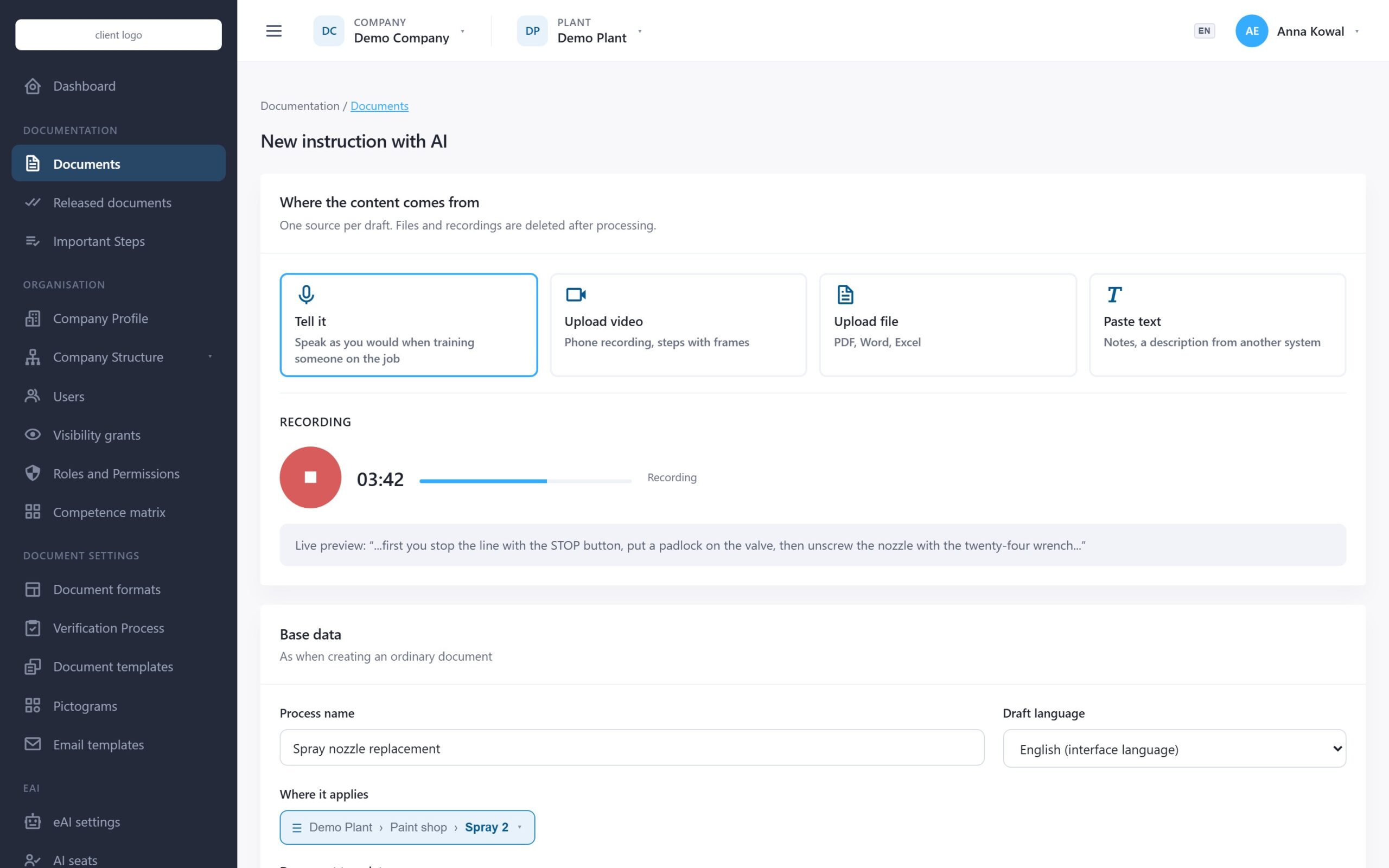
The author gets a draft instead of a blank page
You choose the source: a voice recording, a video, a file or pasted text. eAI turns it into steps, key points, reasons and times in the layout you know from the editor.
Sources: video, voice recording, PDF, Word, Excel, pasted text
A draft in your template, in the ordinary eTWI editor
Work runs in the background, with a status and a “Retry” button
Draft language matches the interface language or is chosen manually
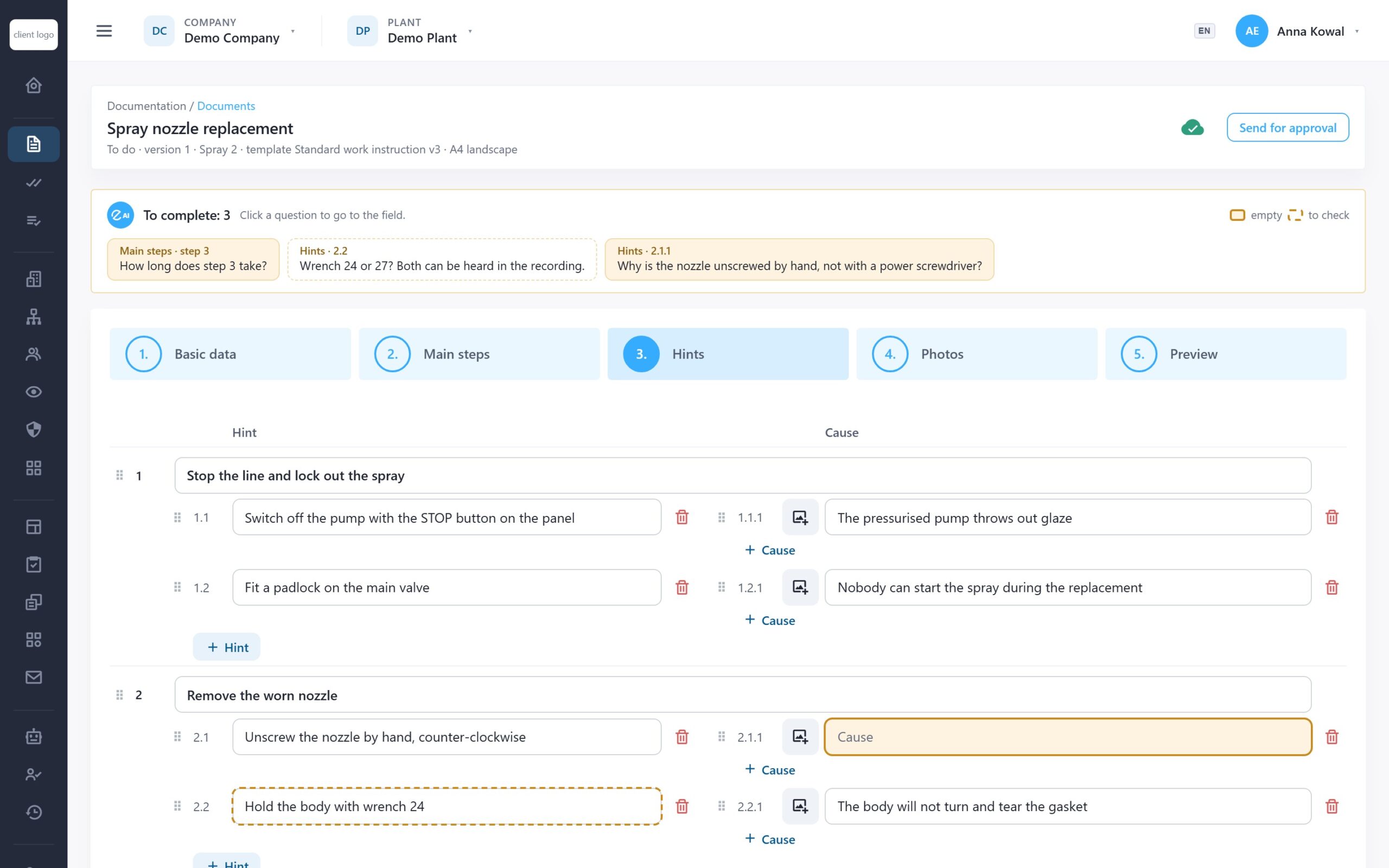
You know what is missing, and where each item came from
Uncertain and empty fields are highlighted. The “To complete” list asks specific questions, for example: “How long does step 3 take?”. In the editor you see which fragment of the recording or file each field comes from.
- Highlighted fields to complete
- Specific questions instead of a general “check the draft”
- The source of a field is visible while you work
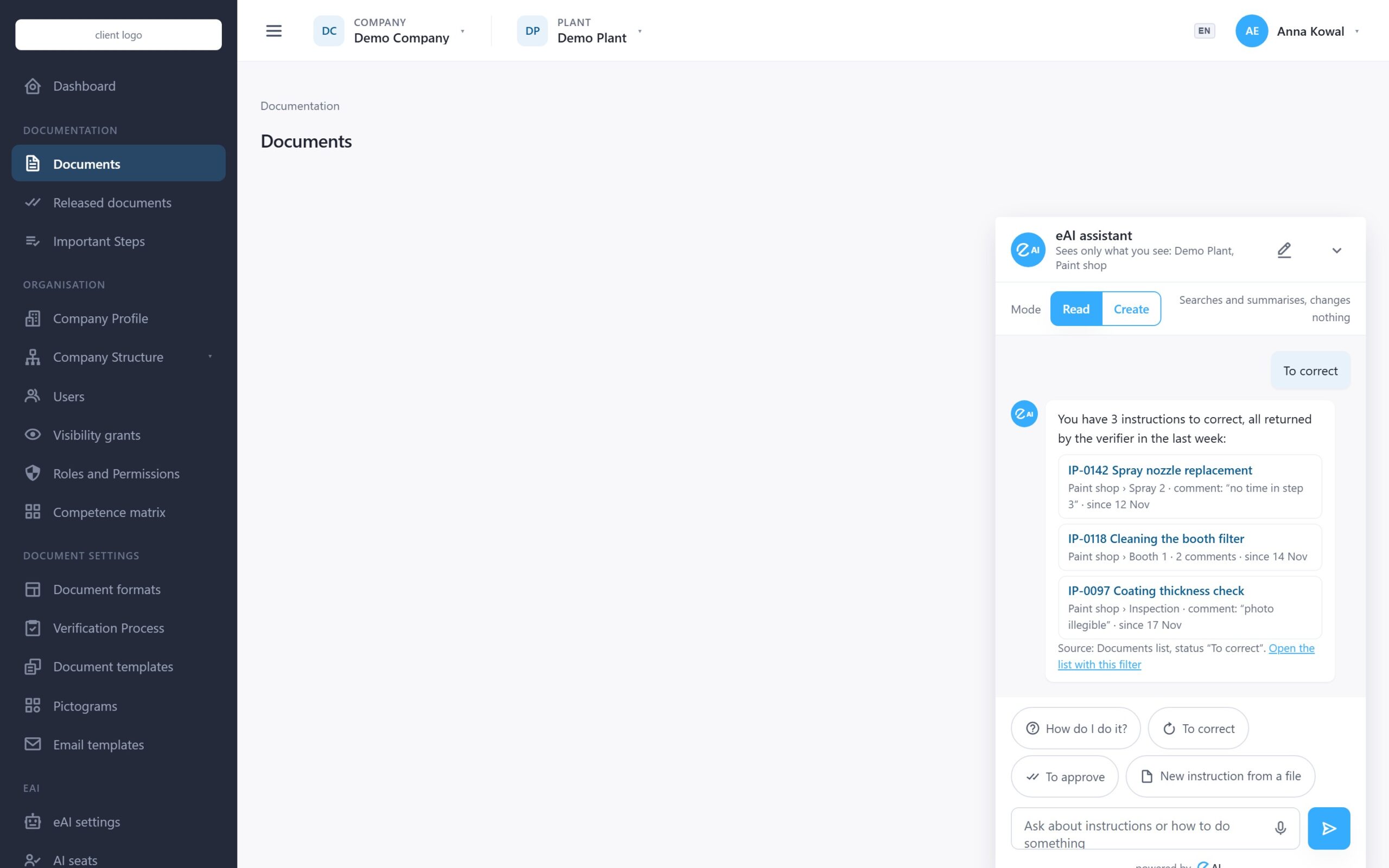
An assistant that knows the system
The eAI bubble in the corner of the screen answers questions about the system and acts within it. You choose the mode: read or create.
- Help: how to do something, with a link to the screen
- Read: searching and summarising instructions, lists to correct and to approve
- Create: starts a draft and fills in the fields (for roles that can create instructions)
- The assistant's permissions are exactly the user's permissions
- Translation of an approved instruction into another language as a draft to check
AI proposes, a human approves
eAI fills in the fields of a draft. It does not approve, publish or delete. Approval follows the workflow you have in your plant. The administrator sees a log of AI actions, and you can undo a change in a draft with one click.
Log: who, through what, which tool, which object
Undoing a change in a draft
eAI is not used to assess employees
Your model or the “eTWI Model”
On eTWI hosting you can use the “eTWI Model”: a Mistral model running in the European Union, under the data processing agreement. You can also provide your own model and your own key. In an on-premises installation you use your own model, including a local one, without the internet.
“eTWI Model”: Mistral, EU, on hosting only; processing rules in the data processing agreement
Your own model: an OpenAI-compatible address, including a local one
- “Check connection” shows which functions your model supports
- Seat licence, per user
Questions
Does eAI approve instructions on its own?
No. It fills in the fields of a draft, and a person approves in the workflow you have in your plant.
Where does my data go?
With the “eTWI Model”, to a provider in the European Union, under the data processing agreement. With your own model, only where you run it.
Does eAI work in an on-premises installation?
Yes, with the customer's own model, including a local one, without internet access. The “eTWI Model” is available on hosting only.
Can I upload old instructions from Word and Excel?
Yes. You upload a PDF, Word or Excel file, and eAI prepares drafts in your template. The author checks and approves.
Is eAI included in the base price?
No. It is an add-on module, licensed by seat, per user. Details on the Pricing page.
See a draft from your own recording
Record one process with a phone. At the demo you will see a draft instruction.