








eTWI is work instruction software for manufacturing. Create and approve SOPs, TWI job breakdowns and one-point lessons in your own layout. Connect instructions to training and a skills matrix, with eAI assistance. Use eTWI in the EU cloud or on your own server.
Trusted by:
Factories have worked with eTWI since 2015.
Photos drift out of place. Nobody knows which version hangs at the machine. Approval circulates by email for two weeks. Before an audit someone hunts for the right file, and a new operator still learns from a colleague.
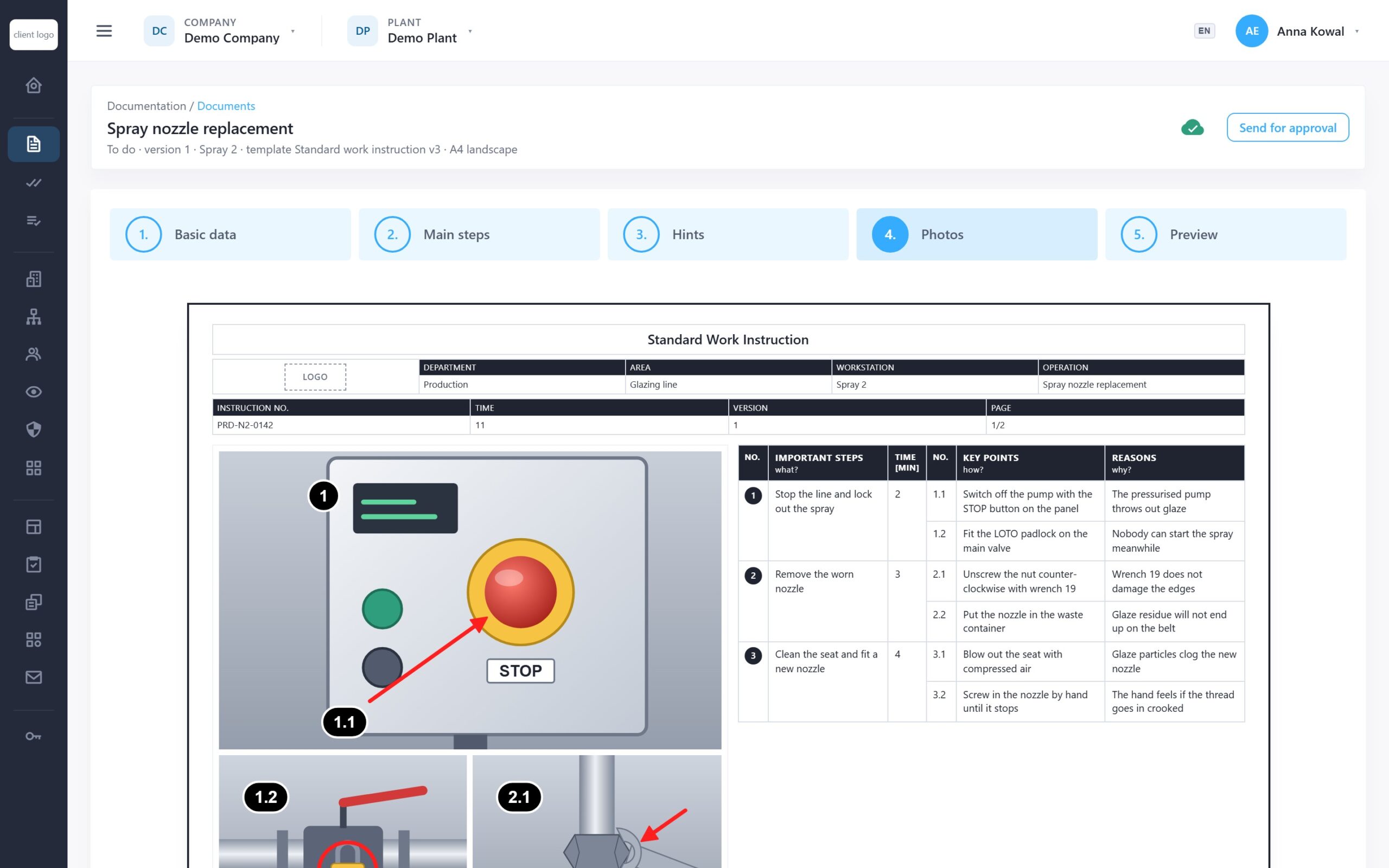
eTWI turns this into one process: from a photo of the workstation to an approved instruction on the line. A new operator works independently sooner, one current version hangs at the machine, and the auditor gets versions and history without searching.
Every instruction has a number, a version, an author and an approval history. Only what has passed the verification path set in your plant reaches the shop floor.
Versions and approval history are open to the auditor. Supports the requirements of ISO 9001, IATF 16949 and ISO 45001 on document control; the certificate is issued to the plant, not to the software.
Versions and change history of every instruction
Approval path set separately for each plant
Reviewer comments reach the author in the system, not by email
Review date on every document
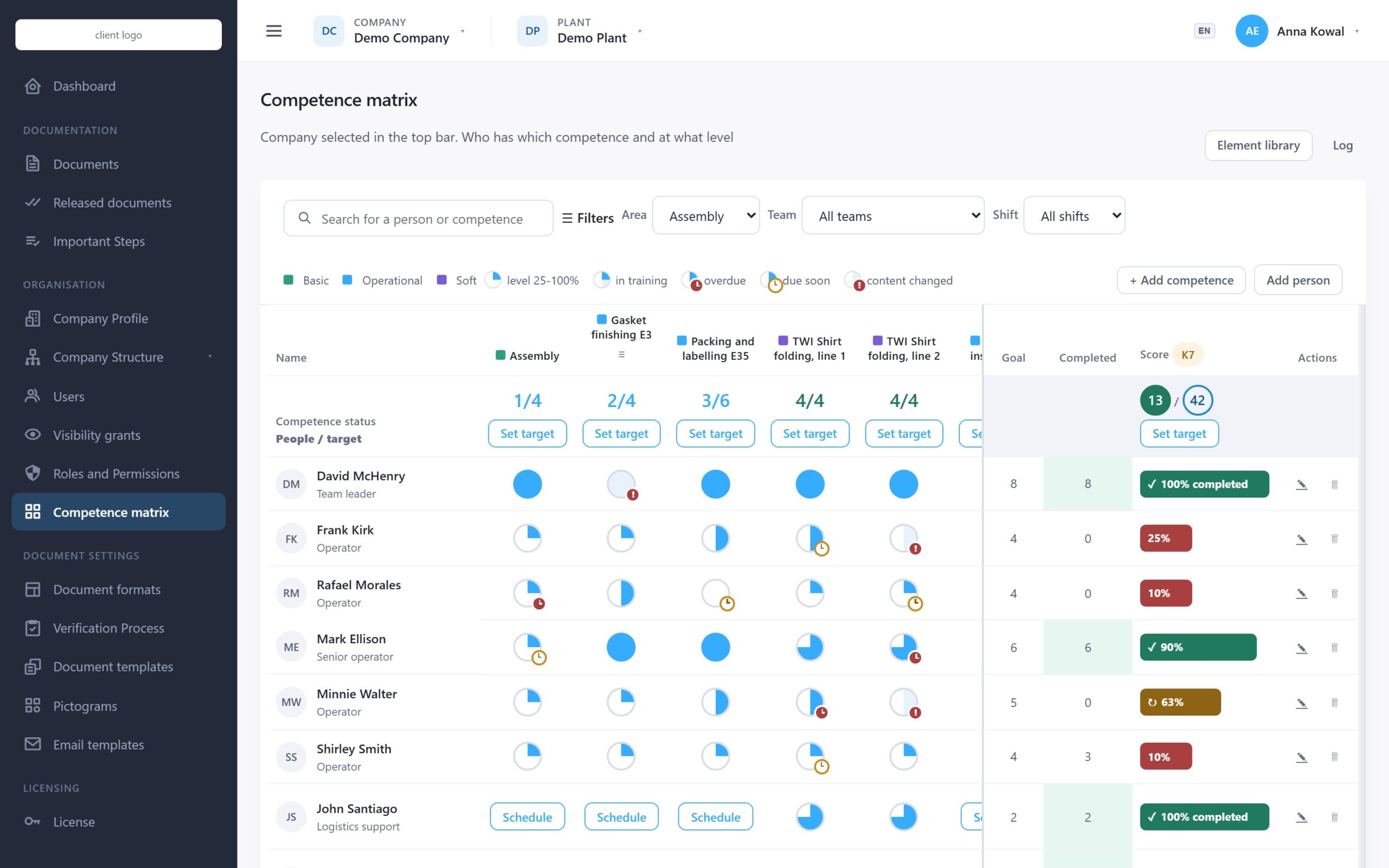
You create instructions, assign them to people and see who has mastered them. The skills matrix is linked to the instructions and shows gaps before they surface on the night shift. The company decides who is allowed to work; the matrix shows who is trained according to your criteria.
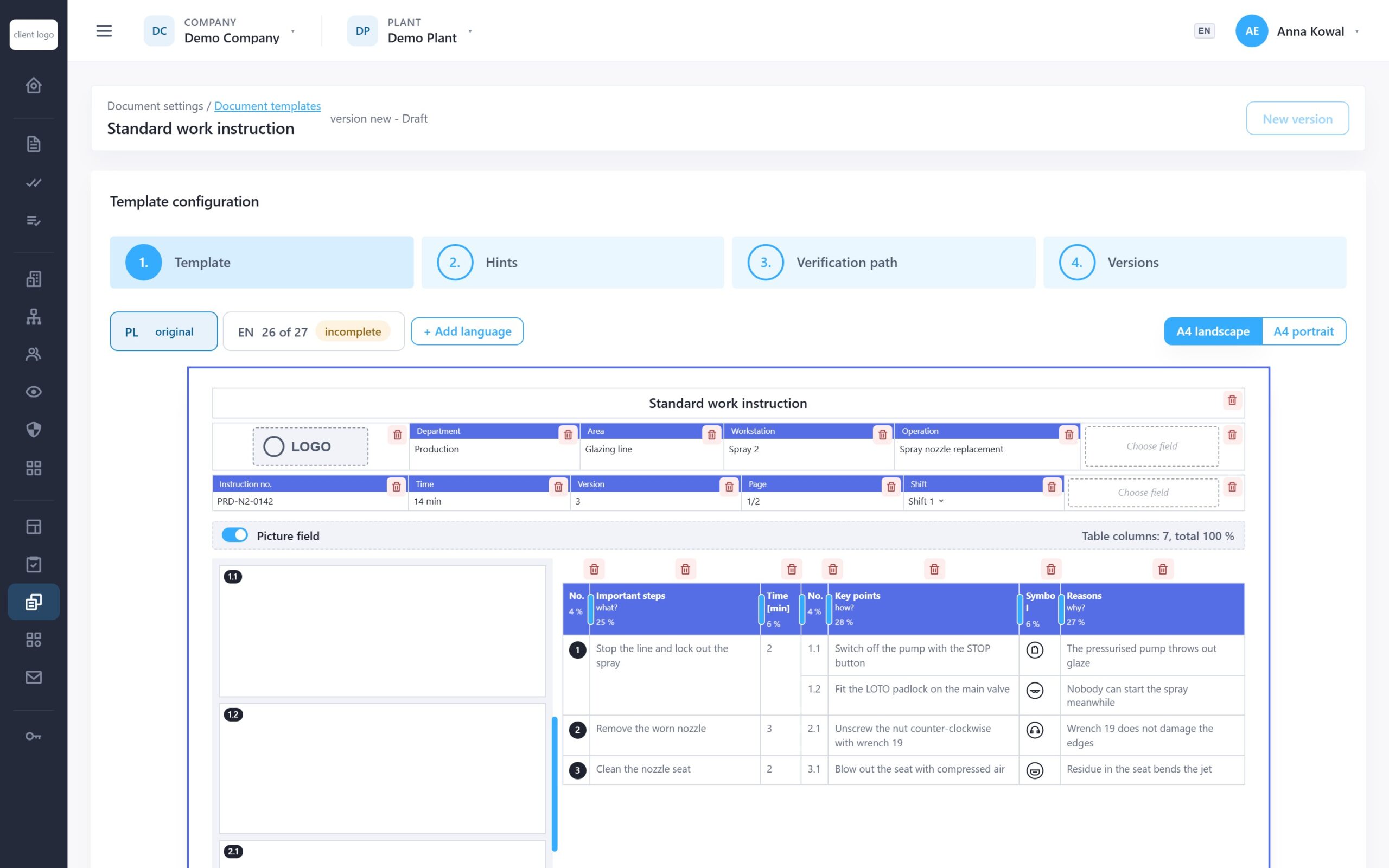
You define the document layout yourself: columns, header fields, colours, logo, pictograms. One tool handles all the documents you now keep in five Word templates.
Work instruction in a layout based on the TWI job breakdown sheet (step, key point, reason)
One-point lesson (OPL)
Health and safety (H&S) instruction and machine operating instruction
Any SOP in your company’s layout
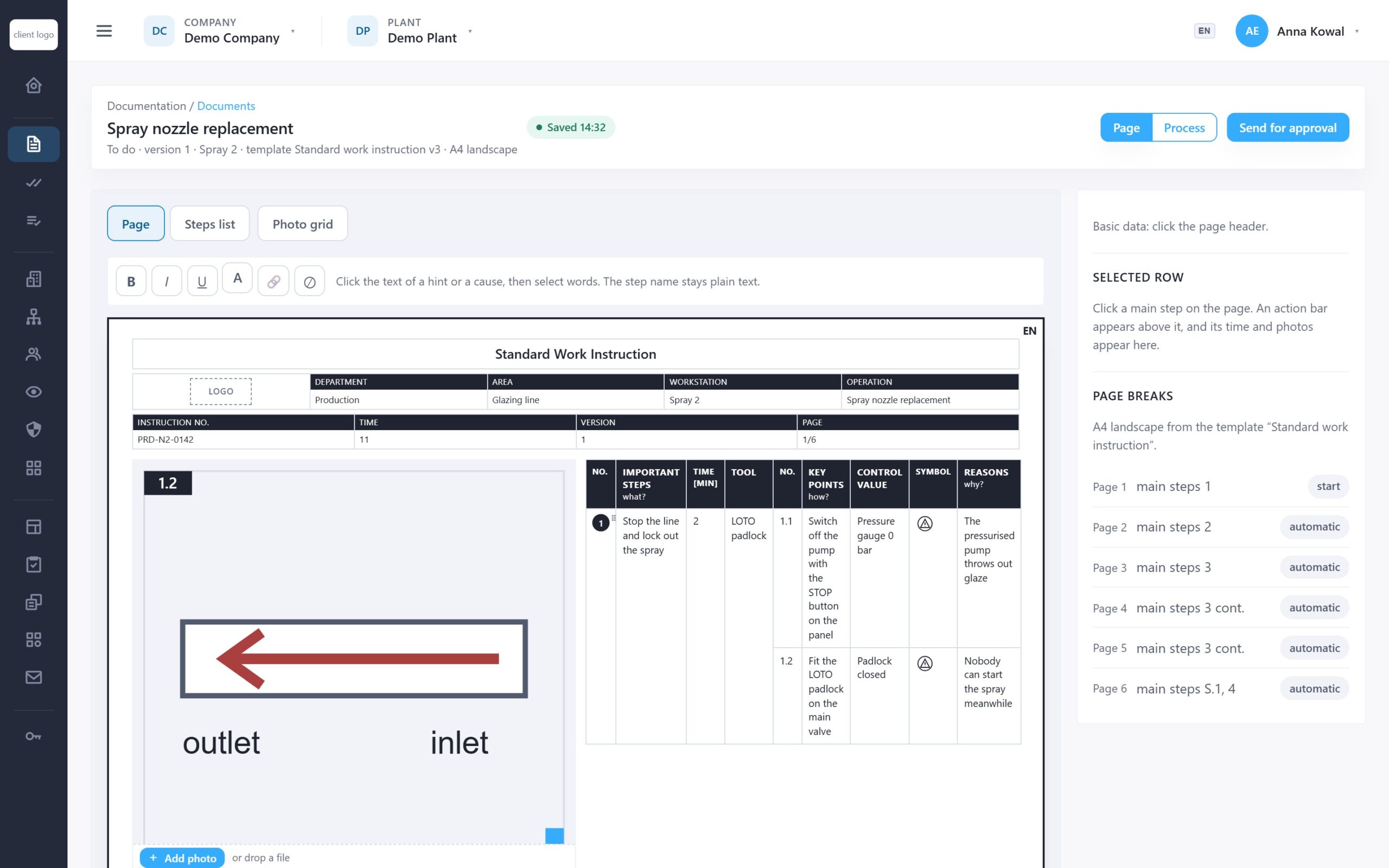
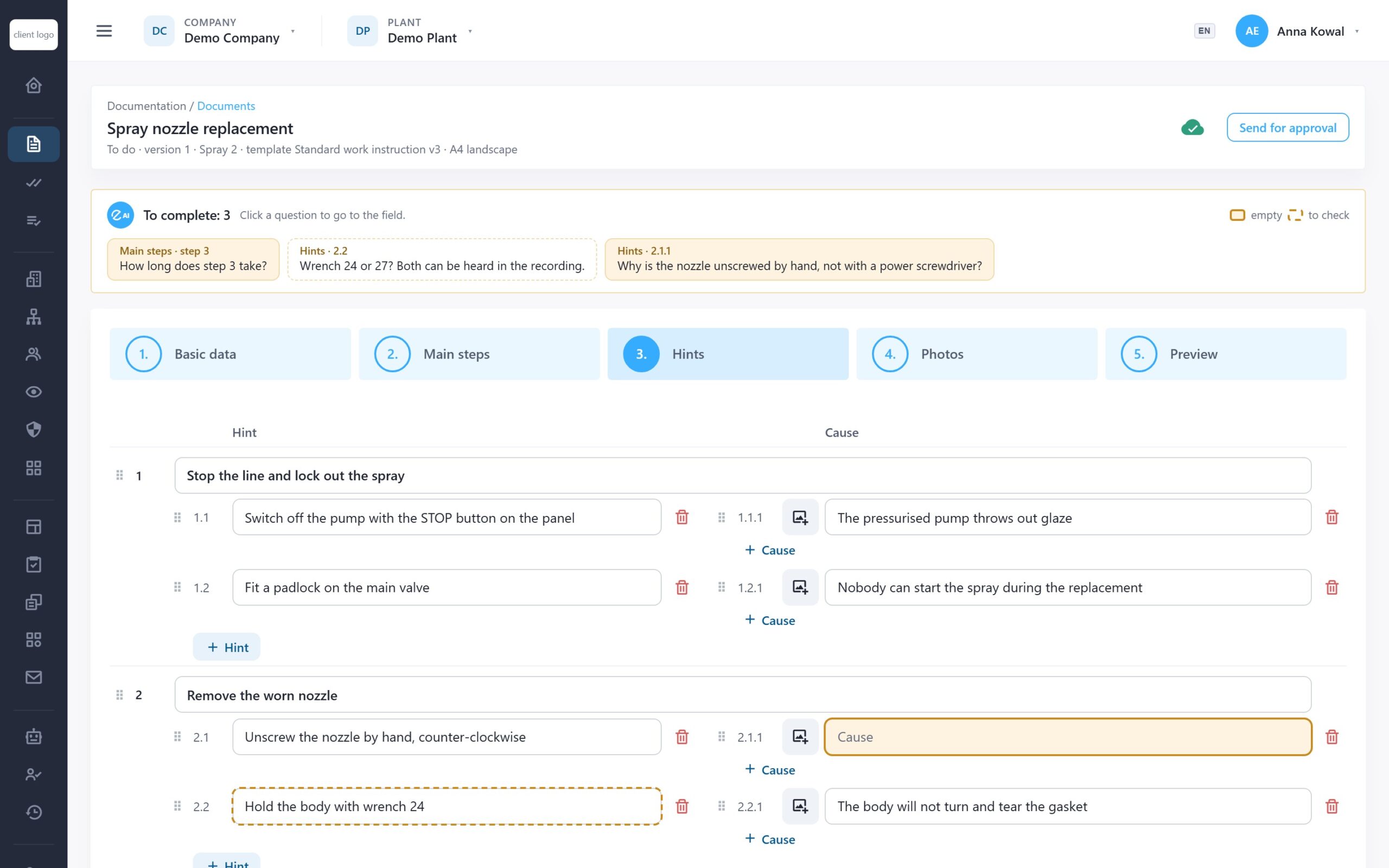
You write directly on the sheet. You insert a photo from the workstation, crop it, add an arrow and a number. What you see on screen comes out of the printer on A4. No moving cells and no “print preview” ten times.
1.5 hours instead of 4. That is how long it takes to prepare an instruction in eTWI compared with Excel (own measurement).
Add a short video to a step and play it right on the line. A step with a video has a QR code on the printed instruction: the operator scans it with a phone and sees how to do the task.
Video at the step, played on tablets and phones
A QR code at a step with a video leads straight to the video
Works in the browser, no app to install
A draft is always approved by a person, never by the system. You upload a video, a voice recording or an old instruction from Word, PDF or Excel. eAI prepares a draft in your template, and you correct it before approval.
You start in our cloud in the European Union, or install eTWI on your own server. Also in a plant without internet access.
Start without your own servers
Windows Server, MySQL or Microsoft SQL Server
Many plants and companies in one installation
Polish, English, German, Italian, Romanian, Ukrainian, Czech, Slovak, Hungarian
You recover
and €15,000 a year.
Illustrative estimate: the supplied eTWI measurement compares 4 hours per instruction in Excel with 1.5 hours in eTWI. Your results depend on the instruction and workflow. Savings = instructions × 2.5 hours × hourly rate.
The starter package is included in the licence price.
A larger migration of existing instructions and on-site training are quoted separately.
The system is one thing, the standard on the shop floor is another. That is why you can implement eTWI together with the services of our partners: Leantrix, Lean Community and KaizenUp. We also work with Production Manager.
KaizenUp
“The software helps a great deal, both in creating standards and in raising awareness among employees who write instructions.”
No. TWI is one of the ready-made layouts. In eTWI you can build any instruction: a one-point lesson, a health and safety (H&S) instruction, an SOP. If you implement TWI, the system guides the author through steps, key points and reasons.
An instruction can be printed on A4 or opened in the browser on tablets and phones, including with the document QR code placed on the printout.
Yes. eTWI runs in our cloud or on your network, on Windows Server with a MySQL or Microsoft SQL Server database.
You upload them to the eAI module (a paid add-on module), and the system prepares drafts in your new template. The author checks and approves.
The price depends on the number of plants and the modules you choose (eAI, skills matrix). The licence runs for 12 or 6 months, and the starter package is included. We reply on the next working day, and prepare the quote after a conversation about the scope.
Send us one instruction you keep in Excel today. At the demo you will see it in eTWI.
Empower Learning. Drive Excellence.